Most HRMS demos look the same. The real differences show up on payroll day, at the plant gate and in the renewal quote.
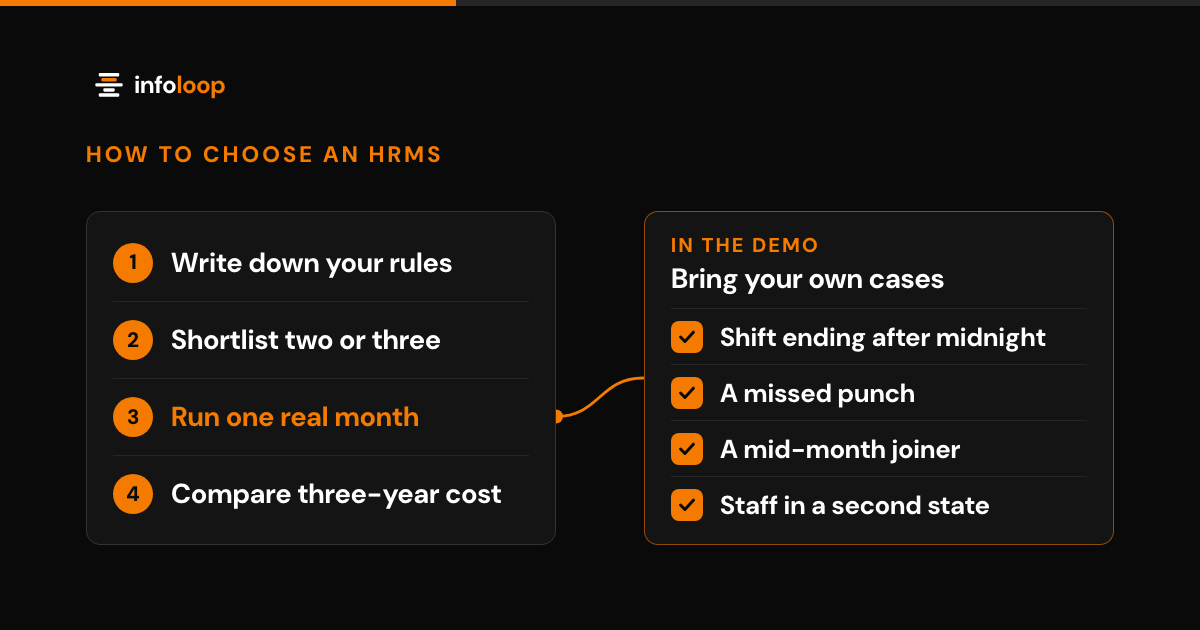
To choose the best HRMS software in India, start with your own payroll rules, shifts and headcount. Shortlist two or three vendors that calculate PF, ESI, PT and TDS and read your biometric devices. Then run one real month of your data through each one and compare the total cost over three years.
Key takeaways
- The right HRMS for your company runs your payroll rules, shifts and leave policies without workarounds.
- Test every shortlisted HRMS with one real month of your own attendance and payroll data.
- Compare the total cost over three years, including setup, devices, payroll modules and support, not just the price per employee.
- Check that payroll already applies the Labour Codes wage rule and the ₹25,000 EPF ceiling that took effect on 17 September 2026.
This guide sets out the questions to ask, plus a checklist you can use in every vendor demonstration.
What is HRMS software?
HRMS software is one system that holds your employee records and runs core HR tasks. HRMS stands for human resource management system. A typical product covers recruitment, onboarding, attendance, leave, payroll, documents and exits.
The key idea is one employee record that every part of the system reads. When attendance, leave and payroll share that record, nobody retypes hours into a spreadsheet before salary day. Employees also get a self-service portal, where they apply for leave, download payslips and update their details.
Some vendors split these jobs into separate products for HR, payroll and recruitment, while others sell one suite. Either can work, as long as data moves between the parts without manual exports.
How do you choose the right HRMS for your company?
Start with your own policies, not the vendor’s feature list. Write down how you pay people, how you record working time and who approves each request. Then evaluate every HRMS against that list.
- Map your workforce: count salaried, hourly, contract and fixed-term employees, and note every shift, site and state.
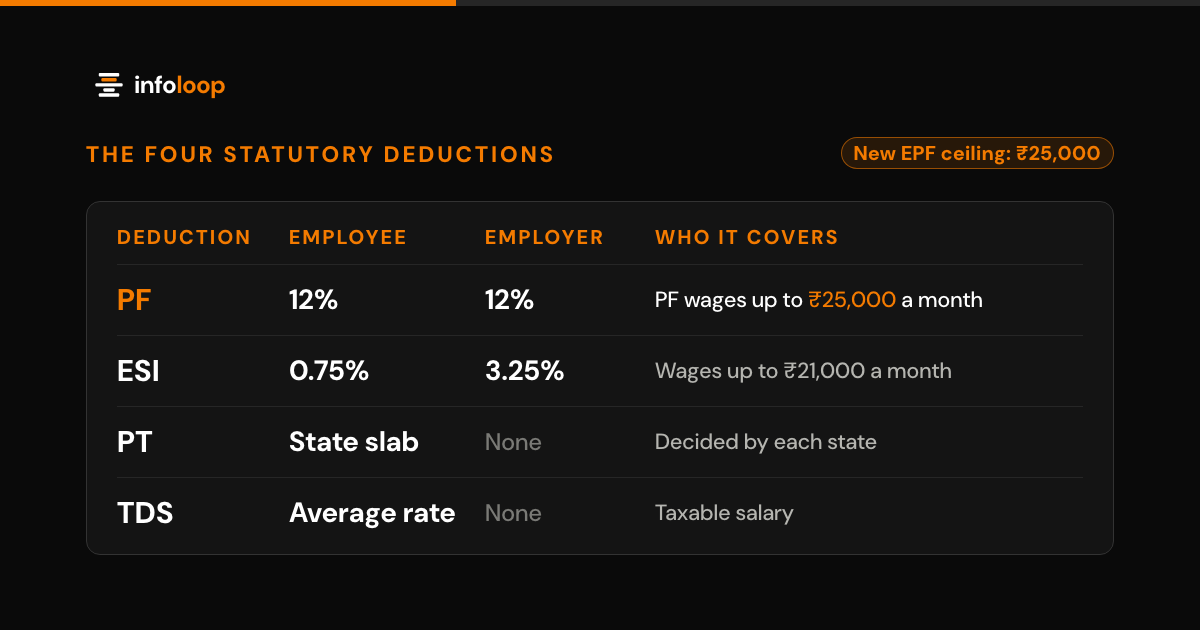
- List your payroll rules: PF, ESI, PT and TDS, plus overtime, bonuses and each regular allowance.
- Note how you capture attendance today, since biometric machines, cards, phone apps and paper registers each need a different configuration.
- Set your approval chain, because leave, overtime and shift swaps often need two levels of sign-off.
- Ask for an HRMS software demo with your own data, and compare one real month of salaries with what you actually paid.
- Read the exit terms, and confirm that you can export every employee record in a standard format if you switch.
Labor law is changing as well. According to the government’s announcement, the four Labour Codes took effect on 21 November 2025 and consolidated 29 central labor laws. Every worker must now get an appointment letter, and overtime must pay at least double the normal wage rate. The central rules under all four codes followed on 8 May 2026, and each state notifies its own, so details can differ from state to state. Ask each vendor how fast its payroll rules pick up changes like these.
What should an HRMS vendor checklist cover in India?
An HRMS vendor checklist for India should cover statutory payroll, wage structure, attendance, shifts, leave, hiring, integrations, data protection, support and total cost. Use this table in every vendor demonstration, and mark each row yes, partly or no. Ask the vendor to show each item working in the product, not on a presentation slide.
| Area | What to check | Question for the vendor |
|---|---|---|
| Statutory payroll | PF, ESI, PT and TDS worked out inside the product | Can you rerun last month for our staff and match our figures? |
| Wage structure | The Labour Codes definition of wages | How do you treat allowances above half of total pay? |
| Attendance | Punches from your biometric machines, cards or phones | Which device models do you connect to today? |
| Shifts | Night shifts, rotating rosters and overtime | How is a shift that ends after midnight paid? |
| Leave | Policies by site, state and staff type | Can a manager approve leave from a phone? |
| Hiring | Job forms, resume screening and offer letters | Where do applications from our careers page go? |
| Integrations | Accounting software such as Tally, an ERP, WhatsApp alerts | Is each link included, or a separate project? |
| Data protection | Access by role, audit logs and full data export | Where is our data stored, and who can see salaries? |
| Support | Response times, support hours and rule updates | Who updates the rules when a rate changes? |
| Total cost | Setup, modules, devices, support and renewals | What will we pay in year three for the same headcount? |
What are the best HRMS portals in India?
No single HRMS portal suits every company in India. The right choice depends on your size, your sector and how complex your payroll is. HRMS software companies in India tend to fall into four categories.
- Payroll-first tools began with salary processing and added HR features later, so they suit offices with simple attendance.
- Suites for small and mid-sized firms put HR, payroll, leave and self-service behind one login.
- Enterprise HR suites serve thousands of employees across several companies and countries.
- Industry-specific systems, such as HRMS built for factories, put shift rosters and biometric attendance at the core.
A manufacturer with three plants and night shifts needs different capabilities from a 40-person agency. If you run plants, see our manufacturing industry page. Shortlist two or three vendors from the category that matches your business, then evaluate each one with the checklist above.
What is the cheapest HRMS in India?
The cheapest HRMS is the one with the lowest total cost over three years, not the lowest price per employee. A low monthly fee can hide additional costs that only show up after you sign.
Add up these costs before you compare quotations:
- Setting up your leave, attendance and payroll policies in the system.
- Moving employee records and salary history from your old system.
- Links to biometric devices, accounting software or an ERP.
- A separate payroll or hiring module, if the base plan leaves it out.
- Training for HR staff, supervisors and managers.
- Support, and any price rise at each renewal.
Ask every vendor to quote the same headcount and modules for three years. Free plans can work for a very small team. Many cap headcount or leave out statutory payroll, so check what happens as you grow. Infoloop quotes OpsDeck in writing after a demo, for the modules and headcount you actually need.
How does an HRMS with payroll integration work?
An HRMS with payroll integration works out salaries from the attendance and leave it has already recorded. This removes the monthly export, the manual re-entry and most of the errors that come with them.
Payroll in India involves many separate calculations. Since 1 July 2019, ESI contributions have been 0.75% of wages from the employee and 3.25% from the employer, according to ESIC. PF, PT and TDS each follow their own rules, and your HRMS should hold them for every state where you employ people. PF changed most recently: EPFO raised its wage ceiling from ₹15,000 to ₹25,000 a month on 17 September 2026, and our payroll software guide shows what that means for each payslip.
The Labour Codes also brought in one definition of wages for all four codes. The Ministry of Labour and Employment’s FAQs on Labour Codes say the part of allowances above 50% of total pay counts as wages. Your payroll module should apply this rule on its own, without a side spreadsheet.
Also ask how payroll links to your accounts. If you use Tally, check whether salary entries post to it without re-typing.
What should an HRMS do for attendance and leave?
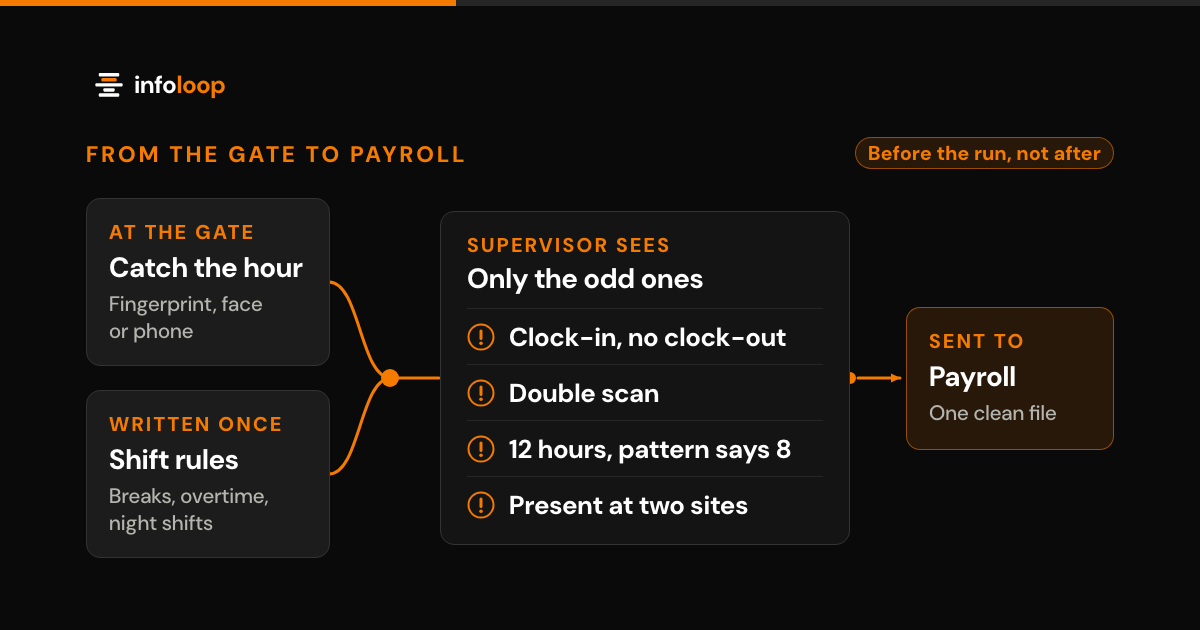
A reliable HRMS imports punches directly from biometric machines, cards or a phone app, and it flags missing entries before payroll runs. This matters because many payroll errors start in attendance and leave records.
Look for these features in the attendance and leave module:
- Shift rosters that cover rotating and night shifts.
- Configurable rules for late arrivals, half days and overtime approval.
- Leave policies that vary by location, state or employee category.
- Leave balances and holiday lists that staff can check on a phone.
- Missed-punch alerts that reach the supervisor on the same day.
The Labour Codes changed leave rules as well. According to the same government release, a worker can now take annual leave after 180 days of work in a year. Your HRMS should track this from each joining date, with no manual counting.
To see how hours go wrong on a shop floor, read our guide on reducing payroll errors at the factory gate.
What are the benefits of a cloud HRMS for Indian SMEs?
A cloud HRMS gives a small or mid-sized business a full HR system without servers or an IT team. You pay a subscription, and the vendor handles hosting, backups and software updates.
If you are choosing HRMS software for a small business, these are the main benefits:
- Lower upfront cost, because there is no hardware to buy or maintain.
- Central updates, because the vendor can revise rates and forms for every customer when a law changes.
- Mobile approvals, because managers can approve leave and overtime from a phone at any location.
- Easy access, because employees log in from a browser or an app with nothing to install.
Cloud also means your employee data sits with a vendor, so check how that vendor protects it. India notified the Digital Personal Data Protection Rules on 14 November 2025, with an 18-month phased timeline, so most duties apply from May 2027, according to the official notice. The same notice says the DPDP Act’s highest penalty, up to ₹250 crore, applies when a business fails to keep reasonable security safeguards. Ask each vendor about access controls, audit logs and where your data is stored.
How Infoloop helps
Infoloop makes OpsDeck, HRMS software built for manufacturers. OpsDeck has three modules that share one record: HRMS and Recruitment, CRM, and ERP.
The HRMS and Recruitment module records attendance from biometric machines, cards or phones. It runs payroll, works out PF, ESI, PT and TDS, and produces compliance reports. Job applications from your careers page go straight into the HRMS, where the applicant tracking system scores each resume. OpsDeck has a native Tally integration and sends WhatsApp notifications, and the HRMS typically goes live 2 to 4 weeks after sign-off.
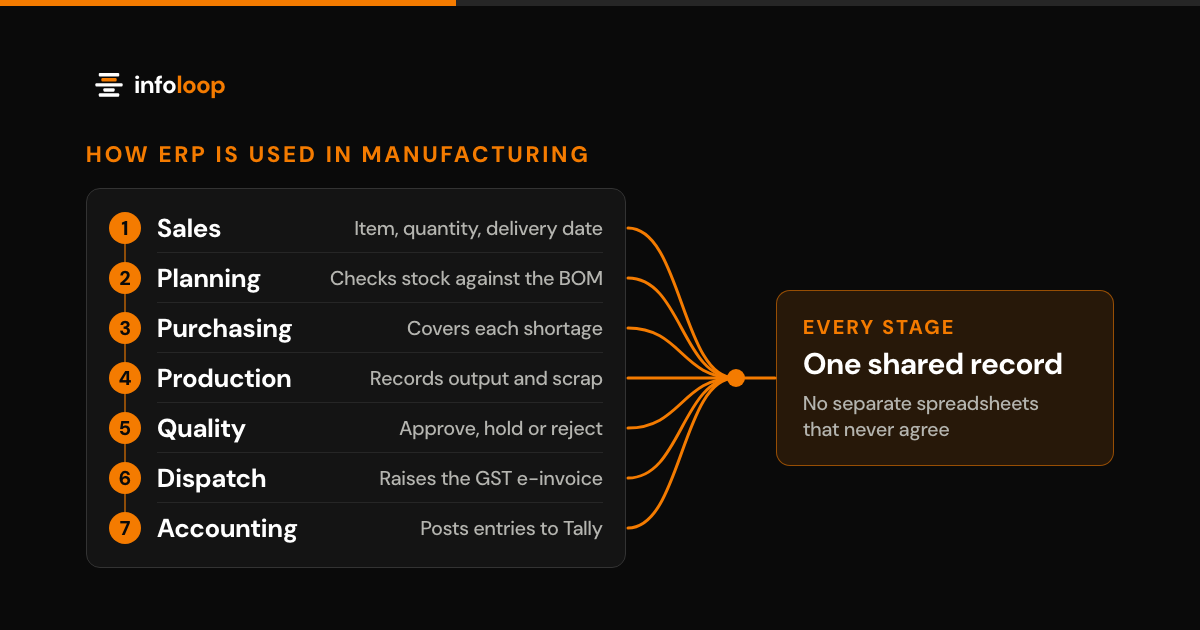
At one manufacturer, the OpsDeck attendance module went live across three plants in three weeks. Timesheet administration fell by 90%, and no missed punches reached payroll (read the case study). If you also need production planning, stock and GST e-invoices, read our guide to manufacturing ERP software in India.
Run a plant or business in India? Book an OpsDeck demo and bring four real cases: a shift that ends after midnight, a missed punch, a mid-month joiner and an employee in a second state.
Frequently asked questions
Which HRMS software is best in India?
The right HRMS for an Indian company is the one that fits your headcount, payroll rules and shift pattern. Check that it calculates PF, ESI, PT and TDS, reads your biometric devices and follows your leave policy. Then run one real month of your data through it before you sign.
What is HRMS software?
HRMS software is one system that holds your employee records and runs core HR tasks. It covers recruitment, onboarding, attendance, leave, payroll and exits. Because every module reads the same record, HR teams stop copying data between spreadsheets, and payroll uses the hours that were actually recorded.
What is the cheapest HRMS in India?
The cheapest HRMS is the one with the lowest total cost over three years, not the lowest monthly fee. Add setup, data migration, device links, any separate payroll module, training and support. Free plans often cap headcount or leave out statutory payroll, which raises your costs later.
Is cloud HRMS software good for a small business in India?
Yes, for most small businesses a cloud HRMS is the practical choice. There is no server to buy or maintain, updates arrive without IT staff, and managers can approve leave from a phone. Ask where the vendor stores your data and how it protects that data under the DPDP Act.
What should I ask for in an HRMS software demo?
Ask the vendor to run your own cases, not their sample company. Bring a night shift that ends after midnight, a missed punch, a mid-month joiner and an employee in a second state. Watch how the system handles each case, and ask who updates the rules when a law changes.

Co-founder and CEO
Nimit leads Infoloop's custom software and AI work, for companies whose processes don't fit packaged software.