ERP software development that puts every site on one connected platform
Infoloop's ERP software development gives multi-site companies one platform for orders, inventory, maintenance and finance. It integrates with the systems you already use and replaces legacy software in stages. The scope, budget and timeline are agreed in writing before work starts.
Request a quoteEvery site connected. One set of numbers.
ERP software development for your industry
Each industry uses different systems and exchanges different data between them. These are the platforms and integrations we deliver most often.
Manufacturing
Orders, inventory, maintenance and procurement on one platform, integrated with production systems on the shop floor
Automotive and garages
One platform across every branch: job cards, parts inventory, bookings and head-office reporting
Energy and utilities
Asset, crew and outage data on one platform, updated from the field and feeding regulatory returns
SaaS and technology
Multi-tenant platforms that keep each customer's data separate, plus admin consoles for your team
Agriculture and AgriTech
Sites, crews, machinery and traceability data on one platform, with audit reports generated from it
Consumer platforms
Seller payouts, refunds, disputes and support history for a marketplace, managed on one platform
eCommerce and D2C
Orders, inventory, warehouse and accounting data synchronized without manual spreadsheet updates
Education and training
Learning platforms, enrollment, results and certification integrated with your finance system
How we work
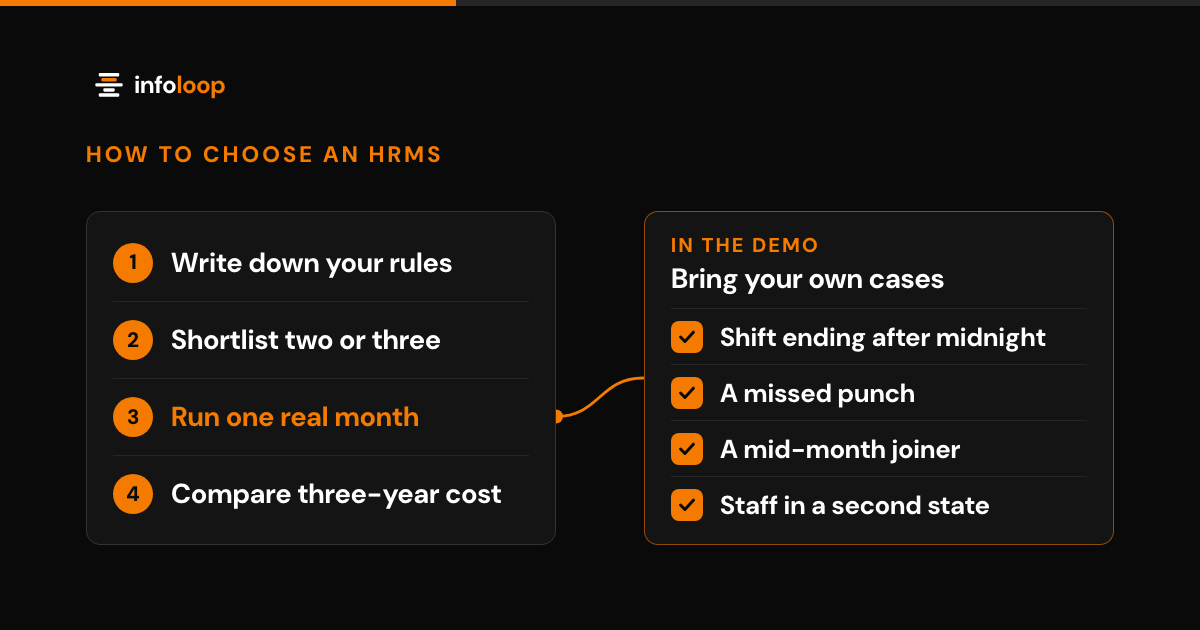
Our enterprise application process
Four stages, from an audit of your current systems to a rollout that goes live one site at a time.
 01
01Systems and process audit
A half-hour call, then a review of your current systems, data and workflows. You receive the scope, cost estimate and delivery date in writing, ready to present to your board.
 02
02One workflow, working end to end
Development starts with one complete workflow on your real data, with a progress review every week. You evaluate working software, not a specification document.
 03
03Phased rollout by site
We migrate your data, reconcile it line by line and train your staff. Sites then go live one at a time, and the legacy system stays available for a month as a rollback option.
 04
04Support after launch
The team that delivered the platform also supports it. The plan covers monitoring, fixes within an agreed service level, security updates and a monthly report.
Why Infoloop for enterprise applications
- 01Optional support with an agreed service level
- 02Fixed price or hourly, matched to the scope
- 03We take over systems other vendors built
- 04Site-by-site rollout with no pause in operations
- 05One delivery team from audit to support
- 06Security and NDAs as standard
- 07Scope, budget and timeline agreed in writing
Optional support with an agreed service level
enterprise applications
Fixed price or hourly, matched to the scope
We take over systems other vendors built
Site-by-site rollout with no pause in operations
Industries we build ERP software for
Manufacturing, technology, commerce and education companies with more than one site, plant or branch. Infoloop is headquartered in India and works with clients worldwide.
- Manufacturing
- Automotive and mobility
- Agriculture and AgriTech
- Energy and utilities
- AI startups
- B2B SaaS
- Enterprise software
- ISVs and technology companies
- eCommerce and retail
- D2C brands
- Consumer platforms
- EdTech
- Learning platforms
- Corporate training
Technologies we use for ERP development
| Frontend |
|
|---|---|
| Backend |
|
| Mobile |
|
| Design |
|
What our clients say
The difference is they did not leave. Every month we get a report, fixes and one clear next step.
More cars through the same bays, with fewer staff hours on admin. That is growth that did not cost us a new building.
They shipped our support agent in five weeks and it has run ever since. Response time dropped from hours to two minutes.
FAQs
Questions about enterprise applications
Straight answers. If yours is not here, ask us on the call.
What is an ERP and do we need one?
An ERP (enterprise resource planning system) is the single platform a company operates from. Orders, inventory, maintenance, procurement and finance share the same data. You need one when several sites or departments exchange data across separate tools and spreadsheets. If only one team has the problem, a smaller application costs less.
Can you integrate the systems we already use instead of replacing them?
Yes, and integration is where we start. Enterprise application integration links your existing systems through APIs (published connection points) or scheduled file transfers. Every failed record triggers an alert and appears in an audit log. We replace software only where maintaining it costs more than a rebuild, and we price both options.
What does custom ERP development cost?
Projects start from $15k. The cost depends on the number of sites, the integrations and the data to migrate. A build with a clear scope has a fixed price, and work whose scope will change is billed hourly. If one of our products fits, it costs less. The rate and an estimate are agreed in writing after a half-hour call.
How long does ERP development take?
Most projects go live in 4 to 8 weeks, and larger systems go live in agreed phases. The first release covers one workflow end to end on your real data. The full rollout depends on the number of sites and the volume of historical data. Sites go live one at a time, with the legacy system available for a month.
Do you support the ERP after it goes live?
Yes, through an optional monthly plan. The delivery team monitors the platform, fixes issues within an agreed service level and applies security updates. You can cancel the plan with notice. Alternatively, your internal team operates the platform, supported by our documentation and training.
Who owns the platform, and will you take over existing software?
You own the software, the data and the cloud accounts, delivered with full documentation. We also take over software other vendors built, after a short technical assessment of its condition and maintenance cost. If a rebuild is the better option, we say so and price both.
Outgrown your current systems?
Tell us which systems you use and where staff still re-key data by hand. We map the gaps, recommend what to integrate and what to replace, and price each option.
Other Build services
We build. We run.