All three get sold as automation. They solve different problems, break in different ways and need different controls. Here is how to tell which one fits the job in front of you.
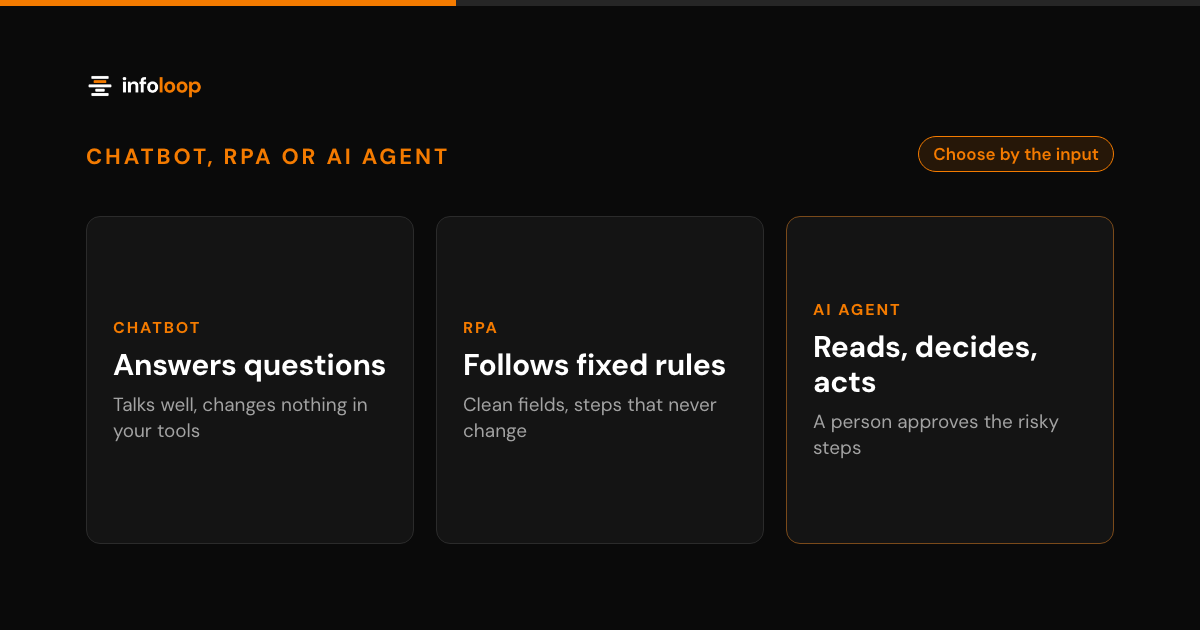
A chatbot answers questions in a conversation, and RPA follows fixed rules on structured data. An AI agent reads unstructured input, decides what to do within limits you set and then acts, with a person approving the risky steps. That is the short answer. The longer one depends on the job, the input it starts from and what a mistake would cost.
Key takeaways
- A chatbot answers questions. It talks well, but it does not change anything in your tools.
- RPA follows fixed rules on structured data. It is fast and predictable until a screen or a file format changes.
- An AI agent reads messy input, decides within limits you set and acts, with a person approving the risky steps.
- Choose by the input and the cost of a mistake, not by the label. Clean fields suit RPA. Free text that needs a decision suits an agent.
- Many real processes mix all three: a chatbot at the front, an agent for the decision and fixed steps at the end.
All three get sold under the word automation, so the labels blur. This guide compares them side by side and walks through four everyday examples. It ends with the questions we ask when a client is choosing, and how to combine them.
What is the difference between an AI agent, a chatbot and RPA?
Each one does a different kind of work. The easiest way to tell them apart is to ask what each one is allowed to change.
Chatbot. A chatbot is software that holds a conversation. Older ones match keywords to scripted replies. Newer ones use a language model to answer in plain words from your help articles. In this comparison, a chatbot answers and changes nothing in your tools. Once it is given tools and chooses which actions to take toward a goal, it is working as an agent.
RPA. Robotic process automation, or RPA, is software that copies the clicks and keystrokes a person makes. It follows a fixed script: open this screen, copy this field, paste it there. It is fast and accurate when the input is structured and the screens stay the same. It has no judgment, so it stops when something looks different.
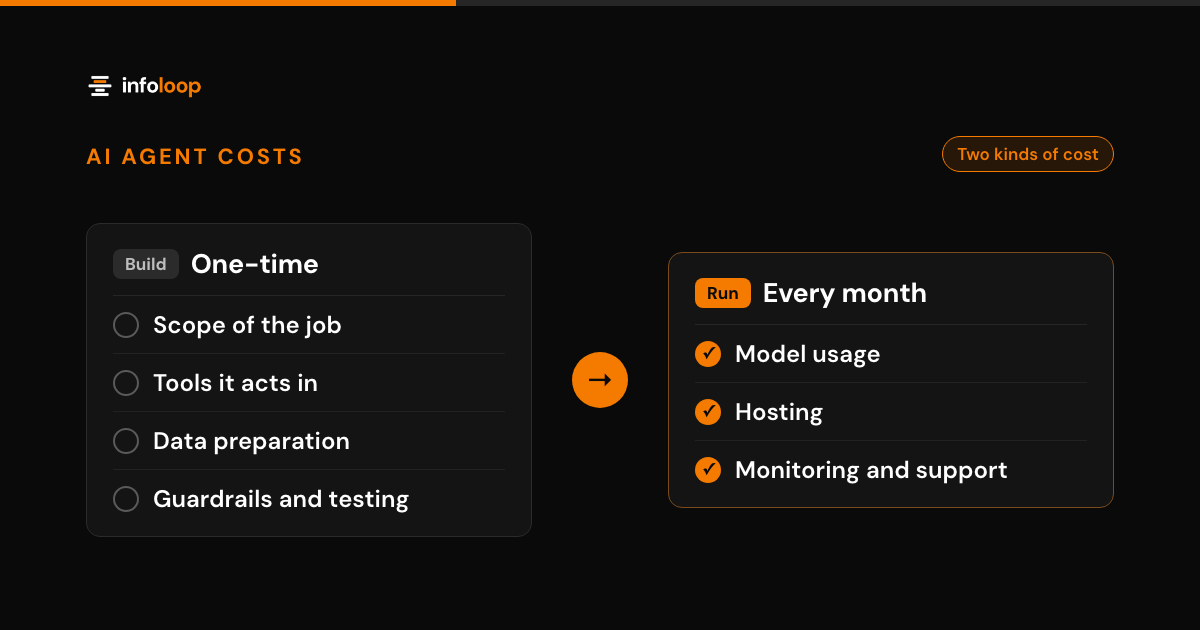
AI agent. An AI agent is software that reads a request in ordinary words, decides on the next step and takes it in your tools. It can read an email, a PDF or a chat message, look up the records it needs and then act. Because it acts, it needs limits. That means defined permissions, a log of every step and a person approving anything high risk.
How do an AI agent, a chatbot and RPA compare?
| Chatbot | RPA | AI agent | |
|---|---|---|---|
| What it does | Answers questions in a conversation | Repeats fixed steps across screens and apps | Reads a request, decides and acts in your tools |
| Input it handles | Questions typed by customers or staff | Structured data: form fields, columns, fixed layouts | Unstructured input: emails, PDFs, chat messages, notes |
| When it breaks | A question falls outside its answers | A screen, field or file format changes | The request is unclear or falls outside its limits |
| Typical use | FAQs, opening hours, order status lookups | Copying invoice fields into accounting software | Qualifying leads, handling refund requests |
| Risk control | Approved answers and a handoff to a person | A queue for every run that fails | Defined permissions, a log of every step, approval for risky actions |
Read the table by row, not by column. The input row and the breaks row matter most. They tell you where each one fails, and that is what you live with after launch.
Which one fits common business jobs?
Four jobs come up in almost every conversation we have about automation. Each one points to a different answer.
Order status. “Where is my order?” has one right answer, and it sits in your records. A chatbot connected to your order data can answer it well. You do not need an agent unless the customer also wants something changed, such as a new delivery address. Then the job moves from answering to acting.
Invoice data entry. If every supplier sends invoices in the same layout, RPA can copy the fields into your accounting software quickly. If invoices arrive as PDFs, scans and email bodies in a dozen formats, RPA will spend its days failing. An agent can read the varied formats and pull out the fields. Fixed steps then post them to the accounts, and a person checks anything over a set amount.
Lead qualification. A new inquiry arrives as a free-text email. Someone has to read it, judge whether it fits, look up the company and route it to the right salesperson. That is reading plus a decision, which is agent work. A chatbot on your website can collect the first details. The agent sorts the lead and drafts a first reply for a person to send.
Refund requests. A refund request mixes all three kinds of work. The customer explains the problem in their own words. Someone checks the order, the policy and the payment. Then money moves. An agent can read the request, check the rules and prepare the refund. A person then approves or declines it before any money moves.
How do you choose between an AI agent, a chatbot and RPA?
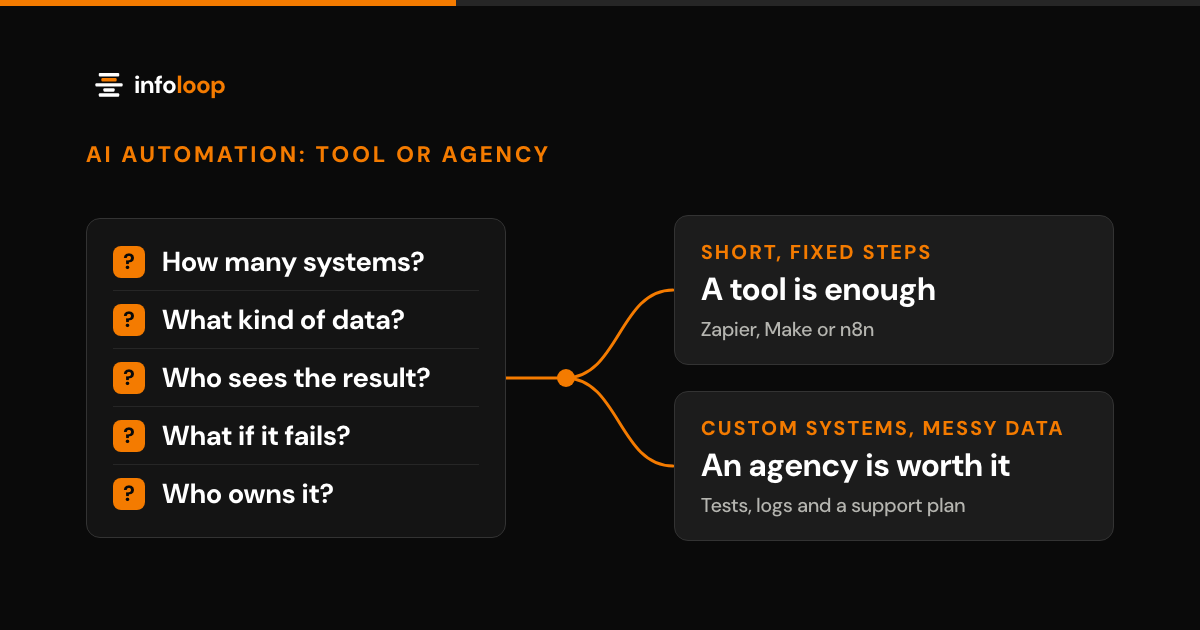
Choose by the job, the input and the risk. These are the five questions we ask first.
- Does the job only need an answer, or does something have to change? If it only needs an answer, start with a chatbot. If a record, an order or a payment has to change, you need automation. Fixed steps between apps with APIs suit a tool like Zapier, Make or n8n. Fixed steps on screens without an API suit RPA, and a job that needs judgment suits an agent.
- Is the input structured or free text? Clean fields in a fixed layout suit RPA. Varied documents such as invoices often need document AI feeding a fixed workflow. Choose an agent when free text also decides what happens next.
- Do the steps ever change? If the same steps run every time, fixed automation is cheaper to run and easier to predict: a workflow tool where the apps have APIs, RPA where they do not. Fixed rules can still branch on a field, such as routing orders by status. If the next step depends on reading free text or making a judgment call, you need an agent.
- What does a mistake cost? A wrong answer to an FAQ is cheap to fix. A wrong refund is not. The higher the cost, the more you need approvals and logs, whichever option you pick.
- Who owns it after launch? Every option needs someone to watch it and fix it. Name that person before anyone builds anything.
If most of your answers are “only an answer” and “structured,” you may not need AI at all. Our guide to AI automation tools shows when a tool like Zapier, Make or n8n is enough.
When should you combine them?
Most real processes are not one kind of work. They start with a conversation, need a decision in the middle and end with fixed steps. That is why many of the builds we do combine all three.
Take the refund example again. A chatbot on your help page collects the order number and the reason. An agent reads the reason, checks the order and the policy, and decides what should happen. A person approves the refund. Then fixed steps post the refund and update the record. Each part does the work it is good at.
Three rules keep a combined flow safe and simple:
- Let the agent make the decisions, and keep fixed steps fixed. Do not use a model where a rule will do.
- Keep one log across the whole flow, so you can trace any outcome back to the step that caused it.
- Put the approval at the point where money moves or a customer hears from you.
This is what agentic workflow automation means in practice. An agent coordinates the work, with fixed automation and people at the points that need them.
What controls does an AI agent need that a chatbot does not?
A chatbot that gives a wrong answer is embarrassing. An agent that takes a wrong action can cost money. So an agent needs more controls from day one.
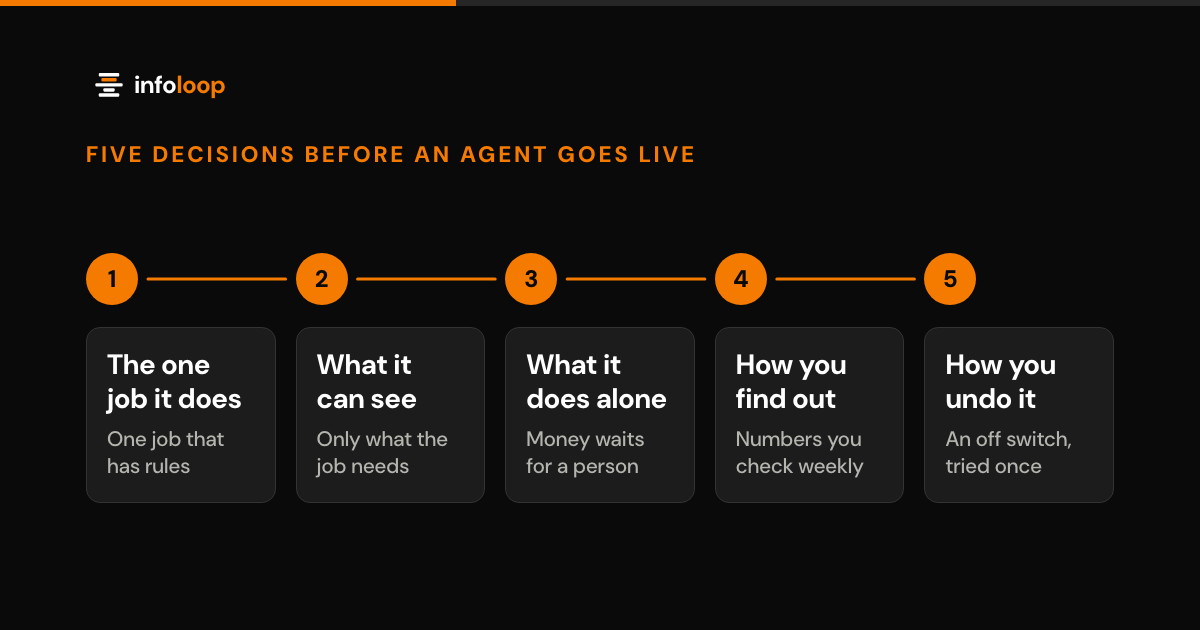
We give every agent defined permissions, so it can reach only the tools and records its job needs. Every step it takes is logged, so you can see what it read, what it decided and what it did. A person approves high-risk actions, such as refunds or messages that go to customers. Our guide on how to ship an AI agent that survives production covers these limits in order, along with the off switch.
AI agent vs chatbot vs RPA, in short
A chatbot answers. RPA repeats fixed steps on clean data. An AI agent reads messy input, decides within limits and acts, with a person on the risky steps. Pick by the input and the cost of a mistake, not by the label. Combine them when the job has a conversation, a decision and fixed steps.
Infoloop builds agents with OpenAI, Anthropic and Google Gemini models, using LangGraph and the OpenAI Agents SDK, as part of its AI automation services. You own the code, the data and the accounts. Book an AI agent discovery call and bring the one job you want to automate first. The 30-minute call covers your goals, users and constraints.
Frequently asked questions
What is the difference between an AI agent and a chatbot?
A chatbot answers questions in a conversation. An AI agent reads a request, decides what to do and then does it in your tools, such as updating an order or preparing a refund. A chatbot only talks. An agent acts, so it needs defined permissions, a log of every step and a person approving risky actions.
Is RPA the same as AI automation?
No. RPA follows fixed rules that a person writes, step by step, on structured data such as form fields and spreadsheet columns. It does not read or judge. AI automation adds a model for steps that need reading, like sorting an email. An AI agent goes further and chooses its own next step within limits.
Can an AI agent replace RPA?
Sometimes, but often it should not. When the input is clean and the steps never change, RPA is cheaper to run and easier to predict. Use an agent where the input is messy or a decision is needed. Many processes work best with both: the agent reads and decides, then fixed steps enter the data.
Which should a small business start with?
Start with the job, not the technology. If customers keep asking the same questions, a chatbot may be enough. If staff retype clean data between two tools, try RPA or a simple automation tool. If the work means reading emails or documents and making a call, an AI agent is the better fit.

Co-founder and CTO
Rahul is Infoloop's CTO. He sets the architecture for every client build and leads the engineers who ship and support it.