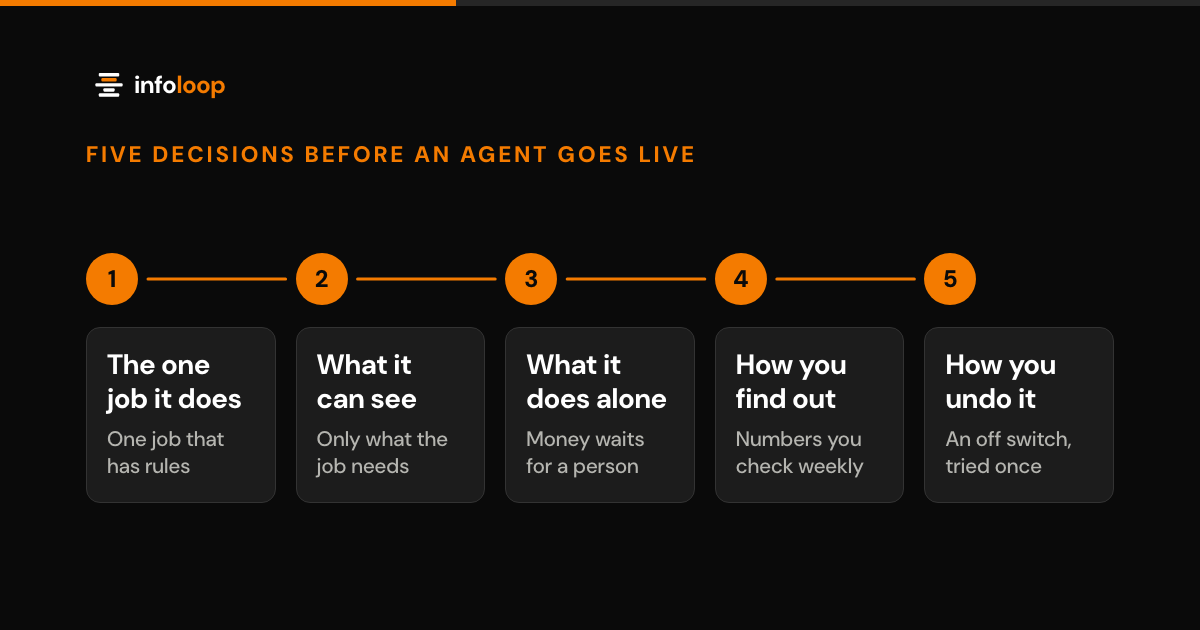
A demo only has to work once. Real work happens every day, on messy data, in front of customers. These are the five decisions we make before we put any agent live, in the order we make them.
An AI agent is software that reads a request written in ordinary words and does something about it: finds an answer, drafts a reply, moves a job into the right queue. Getting one to impress a room for the length of a meeting is not hard. Getting one to be useful every day, on your real data, in front of your real customers, is a different job. Before any agent goes live, we make five decisions, in this order: the one job it does, what it may see, what it may do without a person, how we will know it has gone wrong and how we switch it off.
Key takeaways
- Give the agent one repetitive job that already has rules, not ten vague ones. Narrow scope is what makes it reliable.
- Write down what data it may see before anyone builds anything, and give it the least access that still does the job.
- Separate what it may say from what it may do. Anything that moves money or reaches a customer needs a person's approval.
- Agree on the few numbers you will check every week before launch, so you hear it has gone wrong from a screen, not a customer.
- Plan the off switch first, and start with one branch or one team rather than the whole business.
Many agent projects never get that far. In June 2025, Gartner predicted that over 40% of agentic AI projects would be canceled by the end of 2027, citing rising costs, unclear business value or inadequate risk controls. The five decisions below are aimed at the last two.
Decide the one job it does
The agents that survive do one useful thing well. They do not do ten things vaguely.
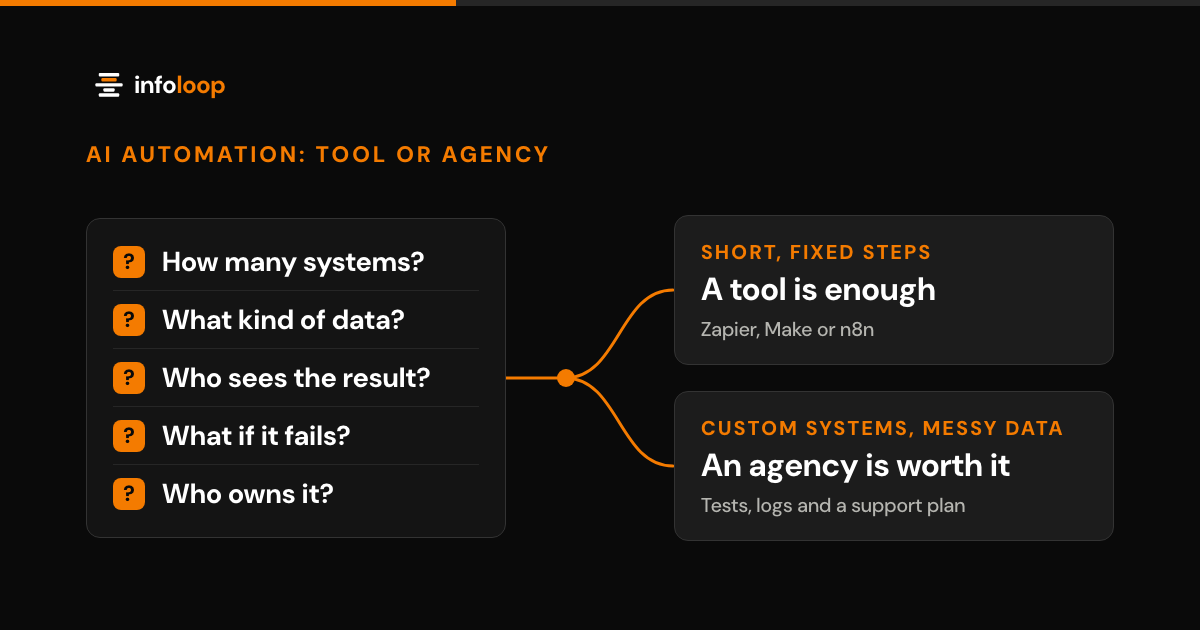
Look for work that is high volume, repetitive, and already has an answer somebody could write down. “Where is my order?” is that kind of job. “Which bay is that car in and when will it be ready?” is that kind of job. So is sorting an inbox of inquiries into the right queue, or writing the first draft of a reply that a person then checks and sends. If the job is only fixed steps between two apps and needs no judgment, you may not need an agent at all. Our guide to AI automation tools shows when Zapier, Make or n8n is enough.
Here is a test that costs nothing. Could you train a new hire to do this task from a one-page sheet? If yes, an agent can probably learn it too. If the honest answer is “it depends, you have to know the customer,” pick something else first and come back to this one later.
Narrow is not a compromise. Narrow is the reason it works. An agent with a tight job gives the same answer on Tuesday as it gave on Monday, and that is what earns the trust of the people who have to work alongside it.
Decide what it is allowed to see
An agent is only as good as the information it can reach, and only as safe as the information it cannot.
Write a short list before anyone builds anything: which tools it reads from, which records inside those tools, and what it must never be shown. A garage agent answering job status needs the job card, the parts order and the vehicle history. It does not need staff pay. A training company agent needs course dates and a learner’s own bookings. It does not need every other learner’s file.
Two rules keep this simple. Give it the smallest amount of access that still does the job. And record everything it looks at, from the first day, so you can answer the question you will eventually be asked: how did it know that?
Be wary of old copies of data. If the agent answers from last month’s export, it will tell a customer, with total confidence, something that stopped being true weeks ago. Connect it to the live data or do not connect it at all.
Decide what it can do without asking a person
There is a difference between what an agent may say and what an agent may do. It is worth drawing that line on paper.
On one side, the things it can do alone: look something up, draft a reply, tag a ticket, put a job in the right queue, pull a few figures into a summary. Low stakes, easily corrected, and this is where most of the saved time comes from.
On the other side, anything that moves money, changes a booking, cancels something, or sends a message to a customer with your name at the bottom. Those need a rule, a limit, or a person pressing approve. A refund agent might settle anything under a set amount by itself and pass the rest to a supervisor. That is a business decision, not a technical one, and the person who owns the budget should be the one making it. In the AI support assistant Infoloop built for a fintech scale-up, no action that affects a customer’s balance goes ahead until a support agent approves it. It still cut manual handling of the top ticket categories by 72% within a quarter.
The aim is not to remove people. It is to take away the repetitive majority of the work and keep a person on the part where a mistake is expensive.
The hard part of AI is not the demo. It is keeping it useful on an ordinary Monday, when the data is messy and everybody is busy.
Decide how you find out it has gone wrong
Something will go wrong. That is not a reason to avoid the whole idea. It is a reason to make sure you hear about it from a screen rather than from an angry customer.
Before launch, agree on the handful of numbers somebody checks every week: how much work it handled, how often it was right, how often it passed the job to a person, and how often somebody had to undo what it did. Put them on one page that a named person actually opens. These are weekly health checks. Whether the agent pays for itself is a monthly question, answered by the four value numbers in our guide to the metrics that prove an AI copilot is working. Give your team a one-click way to flag a bad answer, and make sure somebody reads the flags.
If you cannot say how the agent performed last week, you do not have working software. You have a demo that happens to still be running.
Decide how you undo it
Every launch plan needs an off switch, and you should have used it once before you need it for real.
Know in advance how the work falls back to a person, how fast that happens, and whether anything half-finished is lost when it does. Try it on a quiet afternoon. The teams that launch confidently are the ones who know they can un-launch safely.
Then go in stages. One branch, one team, one queue, one shift. Watch the numbers. Widen it when the numbers say so, not when the calendar says so.
The question everyone is quietly asking
“What if it says something embarrassing to a customer?”
Fair question, and it is exactly what the five decisions above are for. Say the agent only sees the right data. It only sends messages a person has approved. It only serves one team while you are watching it. Then the worst realistic outcome is a mediocre draft, and somebody corrects it before it goes anywhere near a customer.
The way to avoid embarrassment is not to keep the thing locked in a demo. It is a small job, a short leash, and a page of numbers you look at.
What waiting costs
Doing nothing is also a decision, and it has a price you are already paying. Your team types the same handful of answers all week. Customers call to ask where something is, because there is nowhere for them to look. Good people spend their afternoons copying figures between two screens instead of doing the work you hired them to do. None of that appears as a line on an invoice, which is exactly why it goes on for years.
In short
None of this is exotic. Pick one job that has rules. Decide what it sees. Decide what it can do alone. Decide how you will spot trouble. Decide how you turn it off. That is the difference between a demo that impresses a meeting and software that quietly does the job every day. Infoloop builds every agent this way as part of its AI automation services, and a monthly support plan keeps it running after launch week. Book an AI agent discovery call and bring the one job you want an agent to take on first. The 30-minute call covers your goals, users and constraints, and within a week you get a written proposal with the scope, timeline and estimate.
Frequently asked questions
What kind of job should an AI agent do first?
Pick one job that is high volume, repetitive and already has an answer somebody could write down. Order status and sorting inquiries into the right queue are good examples. If you could train a new hire to do it from a one-page sheet, an agent can probably learn it too.
Can an AI agent send messages to customers or issue refunds on its own?
Only within limits you set. Draw a line between what the agent may say and what it may do. Looking things up, drafting replies and tagging tickets can happen alone. Anything that moves money, changes a booking or reaches a customer needs a rule, a limit or a person pressing approve.
How do you know when an AI agent has gone wrong after launch?
You find out from a handful of numbers that somebody checks every week. Agree on them before launch. Track how much it handled, how often it was right, how often it passed to a person and how often somebody undid it. Put them on one page a named person actually opens.
How long does it take to put an AI agent into production?
It depends on the job and the data the agent needs. A narrow job with clear rules can reach a first live version in weeks: the AI support assistant Infoloop built for a fintech scale-up went live in five weeks. Start with one team, watch the weekly numbers, then widen it.

Co-founder and CTO
Rahul is Infoloop's CTO. He sets the architecture for every client build and leads the engineers who ship and support it.