There is no price list for an AI agent, because no two jobs are the same size. There is a short list of things that set the cost. Here is each one, and how to keep it down.
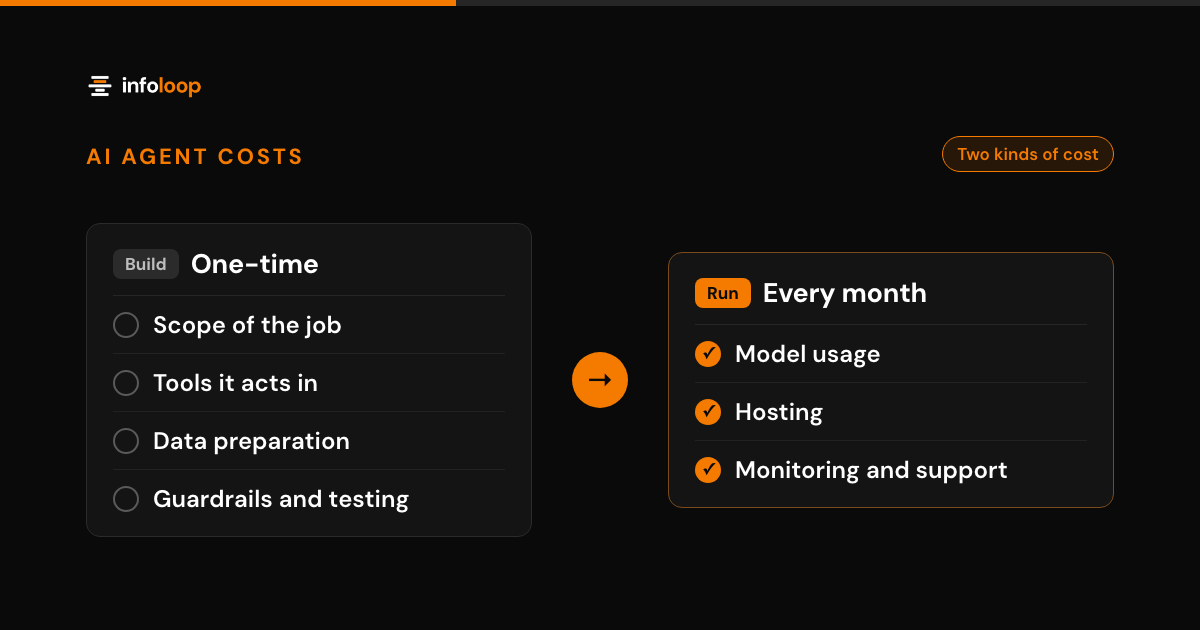
The cost to build an AI agent depends on a handful of drivers. The main ones are the scope of the job, the number of tools it acts in, data preparation, guardrails and testing. After launch, you also pay each month for model usage, hosting, and monitoring and support. At Infoloop, AI agent work is scoped as custom software, so it starts from the $15k custom software figure.
Key takeaways
- The cost of an AI agent depends on a handful of drivers, led by the size of the job and the number of tools it must act in.
- At Infoloop, AI agent work is scoped as custom software, which starts from $15k.
- Data preparation, guardrails and testing take real effort. They are also what keep the agent safe on real work.
- After launch, model usage grows with volume, hosting is billed every month, and someone has to watch the agent. Budget for all three.
- Start with one job, reuse the data you already have and keep a person approving the risky steps.
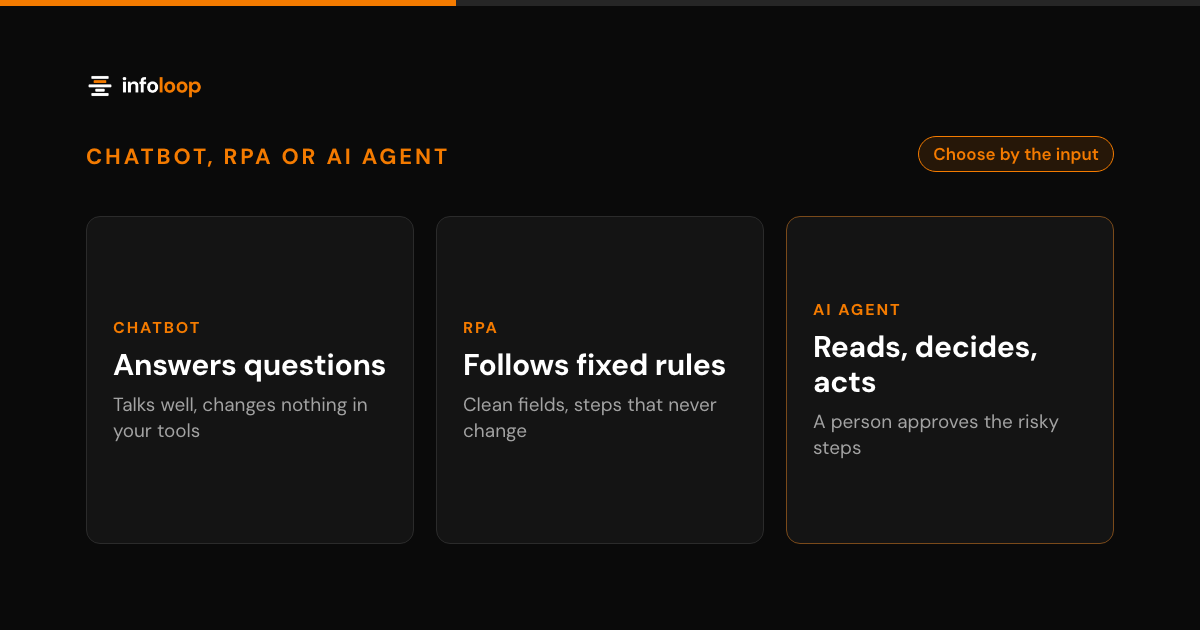
An AI agent is software that reads a request in ordinary words, decides on the next step and takes it in your tools. Two agents can look alike in a demo and cost very different amounts to put into real work. This guide explains each driver, what you keep paying after launch and how to keep the bill down.
What does an AI agent cost at Infoloop?
Our published prices are short. Custom software starts from $15k. Products start from $6k plus a monthly fee. Websites start from $4k.
An AI agent is custom software. It connects to your tools, follows your rules and acts on your data. So we scope it as custom software, and $15k is the starting point. Where a project lands above that depends on the drivers below.
If you are not sure an agent is the right answer yet, start smaller. An AI readiness assessment looks at your processes and data first. That way you spend money only on the jobs that are ready for an agent.
What drives the cost of building an AI agent?
Eight things set the cost. The first five shape the build. The last three continue for as long as the agent runs.
- Scope of the job. The biggest driver is how much you ask the agent to do. One job with clear rules, such as answering order status, is small. An agent that handles every kind of customer request is many jobs at once. Each extra kind of request adds rules to write, cases to test and ways to fail.
- Number of tools it must act in. Each tool the agent reads from or writes to needs a connection. A help desk with a good API is quick to connect. An older in-house tool with no API takes longer. Writing is harder than reading, because every write needs checks and a way to undo it.
- Data preparation. An agent answers from your data, so the data has to be reachable and correct. If your help articles are current and your records are clean, this step is short. If answers live in old spreadsheets, scanned files or one person’s head, someone has to gather and tidy them first.
- Guardrails and approvals. Every agent we build gets defined permissions, a log of every step and a person approving high-risk actions. Building those takes time. More high-risk actions mean more approval points, more limits to set and more screens for the people who approve.
- Evaluation and testing. Before an agent goes live, we test it on real examples from your work, including the awkward ones. We check how often it is right, how often it hands off and what it does when it is unsure. A job with many kinds of input needs more test cases, and that takes more effort.
- Model usage cost per month. The agent calls a language model from a provider such as OpenAI, Anthropic or Google Gemini. You pay the provider for that usage, and the bill scales with volume. More requests, longer documents and more steps per request all add to it. A smaller model costs less per request and is often enough for a narrow job.
- Hosting. The agent runs on servers, a database and logs. Where they are hosted is decided per project, and hosting is billed every month.
- Monitoring and support after launch. An agent is not finished on launch day. Someone has to check the weekly numbers, read the answers your team flags and update the agent when a tool or a policy changes. You can do this in house or use a support plan.
The drivers add up. A narrow job, in two well-connected tools, on clean data, with few risky actions, stays near the starting point. Each driver you widen moves the cost up.
What are the ongoing costs of an AI agent?
The build is a one-time cost. Three costs continue for as long as the agent runs.
The first is model usage. It grows with the work the agent does, so a busy month costs more than a quiet one. That is usually fair, because a busy month is also when the agent saves the most time. Base your usage budget on your real volume, not a test week. Set a spending alert with the provider so a spike never surprises you.
The second is hosting: the servers, database and logs the agent runs on. It is billed every month, and where the agent is hosted is decided per project.
The third is monitoring and support. Your tools change, your policies change and your customers find new ways to ask things. Someone needs to watch the numbers and keep the agent current. Infoloop’s managed AI operations covers this as optional monthly support, with a report on how the agent performed.
Either way, you own the code, the data and the accounts. Because the model accounts are yours, you can see what usage costs at any time.
How do you keep the cost of an AI agent down?
The cheapest agent is the one with the smallest job that still matters. Three choices do most of the work.
Start with one job. Pick a job that is high volume, repetitive and already has rules. Build it, launch it to one team and watch the numbers. A second job costs less once the first is live, because the connections, logs and approval screens already exist.
Reuse the data you already have. Connect the agent to the help desk, order records and documents you already keep. Do not start by building a new knowledge base from scratch. If a source is out of date, fix that source, so your team benefits too.
Use human approval instead of perfect automation. Automating the last few edge cases is often the most expensive part of a build. Let the agent handle the common cases and pass the rest to a person. A person pressing approve costs far less than months spent teaching the agent every exception. It is also safer.
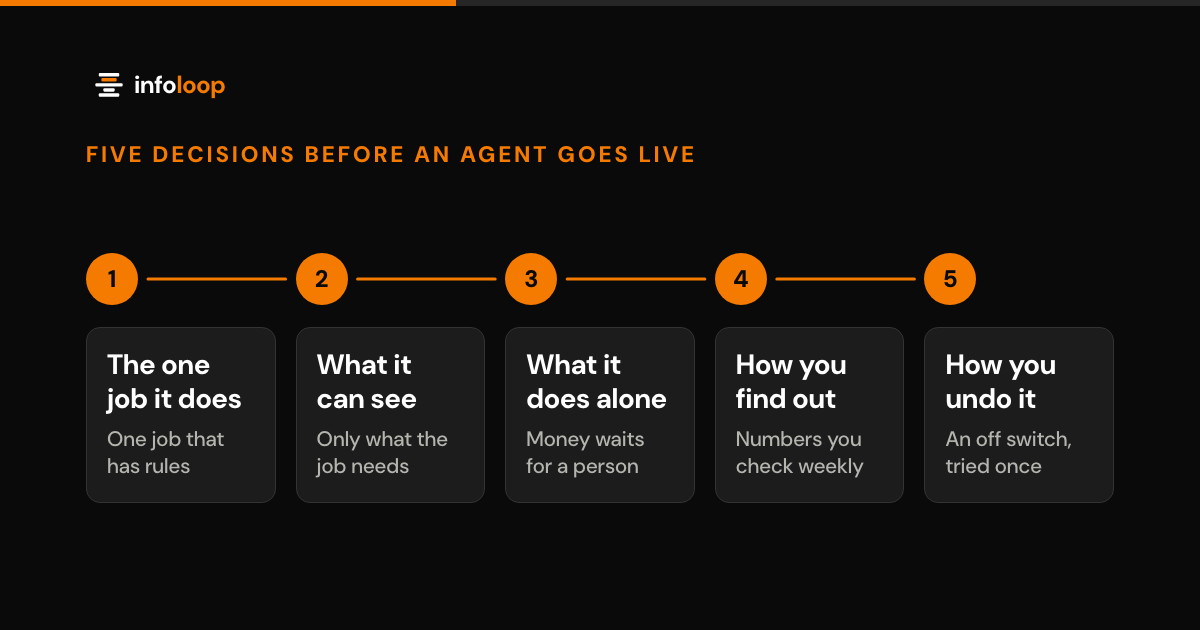
Our guide on how to ship an AI agent that survives production explains how to pick that first job and set its limits.
What does a real AI agent project look like?
The AI support assistant Infoloop built for a fintech scale-up is a good example of a narrow first job. It started with a defined set of support requests and kept a person approving the high-risk actions. The first version went live in five weeks.
That speed came from the scope, not from cutting corners. A small first job with clear rules is quicker to build, quicker to test and cheaper to run. Once it proves itself, you widen it with real numbers behind the decision.
What to ask before you budget for an AI agent
Before you set a budget, answer these questions about the job:
- Which one job will the agent do first, and how many times a month does it happen?
- Which tools must it read from, and which must it write to?
- Where does the data it needs live today, and is it current?
- Which actions are risky enough that a person must approve them?
- Who will watch the agent after launch, and how often?
Clear answers make a clear scope. A clear scope is what keeps the cost close to the starting point.
How much an AI agent costs, in short
The cost of an AI agent follows the size of the job. Scope, tools, data, guardrails and testing set the build cost. Model usage, hosting and monitoring set the monthly cost. At Infoloop, agent work is scoped as custom software, which starts from $15k.
Infoloop builds agents with OpenAI, Anthropic and Google Gemini models, using LangGraph and the OpenAI Agents SDK. You own the code, the data and the accounts. Book an AI agent discovery call and bring the one job you want an agent to take on first. The 30-minute call covers your goals, users and constraints.
Frequently asked questions
How much does it cost to build an AI agent?
It depends on the job. The main drivers are how wide the job is, how many tools the agent acts in, how much data needs preparing, and how much testing and approval it needs. At Infoloop, AI agent work is scoped as custom software, which starts from $15k. A narrow job with clean data sits nearer that starting point.
What are the ongoing costs of an AI agent?
There are three. The first is model usage, which you pay to the model provider and which grows with the number of requests the agent handles. The second is hosting: the servers, database and logs the agent runs on, billed every month. Where it is hosted is decided per project. The third is monitoring and support: someone checks the numbers, reads flagged answers and updates the agent when your tools change. Infoloop offers optional monthly support with a report.
How long does it take to build an AI agent?
It depends on the scope and the data the agent needs. A narrow job with clear rules can reach a first live version in weeks. The AI support assistant Infoloop built for a fintech scale-up went live in five weeks. Wider jobs that act in many tools take longer, so start with one.
How can you reduce the cost of an AI agent?
Give it one job first, not five. Connect it to data you already keep instead of building new sources. Let a person approve the risky steps instead of paying to automate every edge case. Once the first job proves its value, widen the scope with real numbers behind the decision.

Co-founder and CEO
Nimit leads Infoloop's custom software and AI work, for companies whose processes don't fit packaged software.