The safest way to modernize legacy software is in small, tested releases while the business keeps using it. Here are the seven steps, the strategies and what drives the cost.
The safest way to modernize a legacy application takes seven steps: document it, audit the code, rank the risks, add tests, choose a strategy for each part, replace one component at a time, then retire the old code. A complete rewrite is the exception, not the default. This guide also shows how to protect daily work while it happens. It covers which strategy fits each part, whether to rewrite, what it costs and when to split a large system into services.
Key takeaways
- Update old software in small, reversible releases instead of one large switch-over. Each release is tested and can be rolled back.
- Start with an audit and a ranked list of risks. Add automated tests around the components that change most or cost most when they fail.
- Get the risks, scope and price in writing before any code changes. Fixed price suits a clear scope, and hourly billing suits one that will evolve.
What is legacy app modernization?
Legacy app modernization means updating software your business still relies on until it is supported, secure and easy to change. Software counts as legacy when its versions no longer receive security updates. It also counts when few people understand how it works, or when each change breaks something else.
Teams that want to modernize old software often assume a rebuild is the only path. In practice, most projects are smaller: a framework upgrade, a move to supported cloud hosting, new tests, or a swap of one module. Many projects are forced by an end-of-life date. For example, Vue 2 reached end of life on December 31, 2023, and PHP 8.1 followed on December 31, 2025. PHP 8.2 gets security fixes only until December 31, 2026. Applications built on them still work, but once support ends, any new flaw found in the framework or language stays unpatched.
How do legacy application modernization strategies work, step by step?
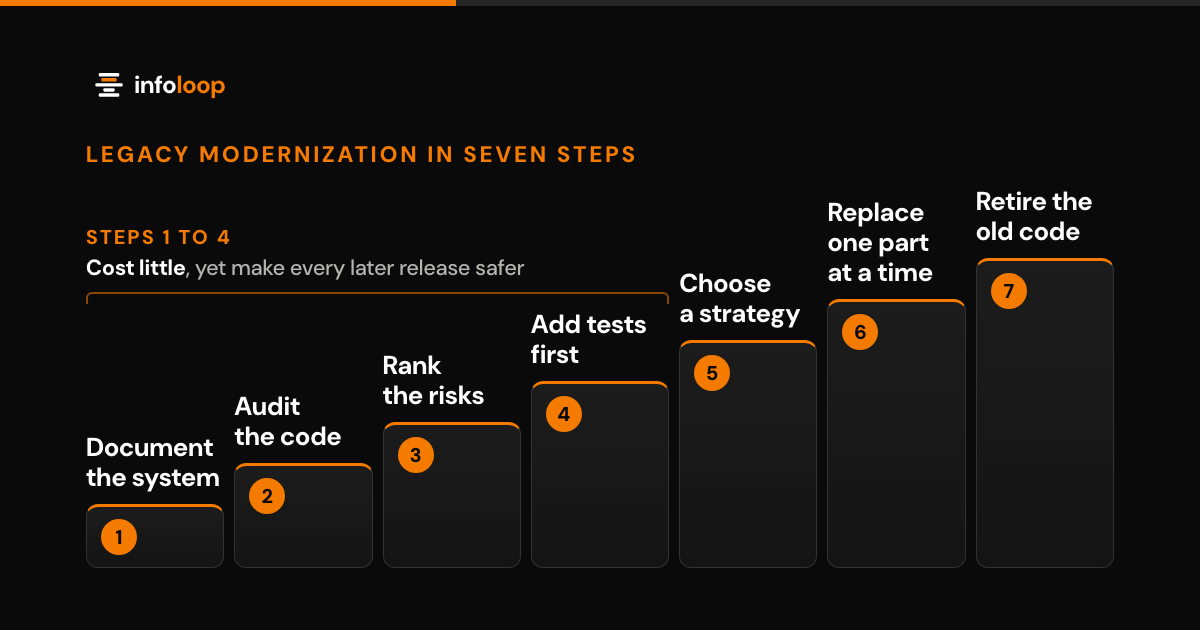
Legacy application modernization strategies work best as a fixed sequence of seven steps. Each step produces something you can verify, so the business never depends on a single high-risk release.
- Document what the system actually does. List the screens, reports, scheduled jobs and integrations that people rely on each week. Interview the employees who use the system daily, not only the developers who maintain it. Critical business rules often hide in an overnight job or a spreadsheet export.
- Audit the code and infrastructure. Compare every framework, language and server version with its official support dates. Note missing tests, missing documents, security gaps and any part that only one person understands.
- Rank the risks. Score each part on how often it changes, what a failure would cost and how open it is to attack. Begin at the top of that ranking, which is rarely the oldest code.
- Add automated tests before changing anything. Tests around the busiest and costliest workflows show when a change breaks current behavior, so they protect every step that follows.
- Choose a strategy for each part. Some parts only need an upgrade or new hosting, while others need new code. A single system can combine several strategies at the same time.
- Replace one component at a time. Place a thin routing layer in front of the old system and direct one function to the new code. Once that function performs reliably, move the next one. Martin Fowler calls this the strangler fig approach, named after a vine that slowly grows around its host tree.
- Retire the old code. Switch off each old part only when nothing depends on it anymore. Keep backups, and store the documents you wrote along the way.
When you replace legacy systems step by step, the order matters more than the tools. Steps 1 to 4 cost little compared with the build itself, yet they make every later release safer and easier to estimate.
What are the main legacy modernization strategies?
The main legacy modernization strategies are retain, rehost, replatform, refactor, rearchitect, rebuild, replace and retire. Most systems combine several of them, one part at a time. The list builds on the seven migration strategies in AWS Prescriptive Guidance, known as the 7 Rs. AWS calls replacement “repurchase” and treats refactor and rearchitect as one option. AWS also lists relocate, a bulk move of servers to a cloud version of the same platform, which this table folds into rehost. Rebuild is added here, because starting over is always one of the choices.
| Strategy | What changes | When it fits |
|---|---|---|
| Retain | Nothing for now. The part stays as it is and is reviewed later. | It works, is still supported and rarely changes. |
| Rehost | Only the hosting. The same code moves to new servers or to the cloud. | The servers must go, but the code is fine. |
| Replatform | The platform underneath, such as a managed database, a newer runtime or containers. The code changes little. | The code is sound, but its platform is costly or out of support. |
| Refactor | The inside of the code. It is cleaned up and restructured but behaves the same. | The code is hard to change, but its design still fits the business. |
| Rearchitect | The structure. For example, one part becomes a separate service with its own data. | One part must scale, ship or change on its own schedule. |
| Rebuild | Everything. The part is written again on a new stack. | The core data model is wrong, or the platform has no upgrade path. |
| Replace | The software itself. A packaged or SaaS product takes over the job. | The job is standard, such as accounting or email, and ready-made tools do it well. |
| Retire | The part is switched off and its data is archived. | Nobody uses it, or another part now does its work. |
How do you modernize legacy systems without stopping production?
Keep the existing system running and move work to the new code in small slices you can reverse. Staff keep using familiar screens while the parts behind them change.
Use this checklist before every release:
- The change is small, and a tested rollback plan is ready before release.
- The new part runs alongside the old one, and both produce identical results on real transactions.
- Every data move has been rehearsed on a copy of live data, with personal details masked.
- Rollback triggers are agreed in advance, such as error rates, failed checks or totals that do not match.
- The old path remains available until the new one has handled your busiest period, such as a month-end close.
- Employees know what changes in each release and whom to call if something looks wrong.
Measure each release against a baseline recorded beforehand: response times, error counts and the totals on key reports. If the numbers drift, pause and investigate before the next slice moves.
For a factory or a car workshop, plan releases around shifts and peak days, not the software team’s calendar. A release during a quiet shift gives the team several hours to spot a problem before it reaches customers.
Should you rewrite or modernize a legacy application?
Modernize in most cases, because the current system already holds years of business rules that a rewrite would have to find again. Rewrite only when the core data model is wrong or the platform has no route to a supported version.
Already holding a quote for a full rebuild? Our legacy application modernization services include a second opinion: a code assessment prices modernizing and rebuilding side by side, so you can compare them on risk as well as cost.
What are the risks of keeping legacy software?
The biggest risks are open security flaws, rising running costs and a system your team is afraid to change. These risks grow every year, because the software stands still while browsers, devices and the tools it connects to keep changing.
- Security. Unsupported software stops getting patches, so known flaws stay open. The US Cybersecurity and Infrastructure Security Agency (CISA) lists the use of unsupported or end-of-life software as a dangerous practice for critical systems.
- Cost. A growing share of the budget goes to maintaining the old system instead of funding new work.
- People. Knowledge often sits with one or two people or a former vendor. When they leave, even minor fixes slow down.
- Speed. New reports, links to other tools and AI features take longer to build, or cannot be built at all.
- Compliance. Customer security reviews and audits often ask which versions you run and when they were last patched.
Large public bodies face the same problem. In July 2025 the US Government Accountability Office named the 11 most critical federal legacy systems, aged 23 to 60 years. Seven had known security flaws, and only three had modernization plans with every element GAO expects. The report also notes that agencies typically spend about 80% of their IT budgets on running and maintaining what they already have.
What does modernizing a legacy application cost?
Cost depends on four things: the size of the code, the tests in place, the state of the data and the connected systems. A short code assessment turns those unknowns into numbers, so ask for one before any quote.
At Infoloop, the assessment is a small fixed fee agreed in advance. We spend a set number of days in the codebase with read-only access. You then receive a ranked risk list and the cost of each option in writing, and the report is yours whether or not you go ahead. After that, a fixed price suits a clear scope, and hourly billing against an agreed estimate suits an evolving one. Our legacy modernization page explains how the assessment works.
When should you split a monolith into services?
Split a monolith only where a clear boundary exists, and only one part at a time. A monolith is one large codebase in which every feature shares the same code, release process and database.
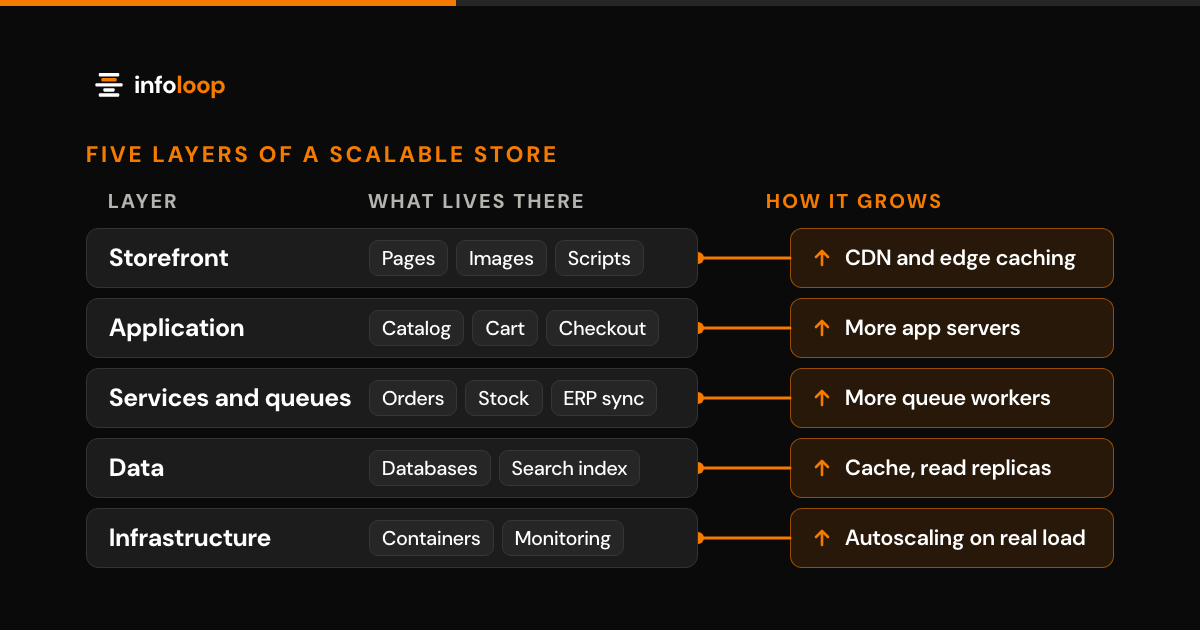
Start with a part that changes often and has few links to the rest, such as notifications, reporting or search. Give it a separate service with its own data, route requests to it, then remove the old code path. Move the next part only after the first one has stabilized. For an online store, our guide to scalable e-commerce architecture shows how to move off a monolith without losing sales.
Not every system gains from services. A well-structured monolith with good tests is often cheaper to host and easier to debug than dozens of small services. Split a part out when it must scale, ship or change on an independent schedule. Otherwise, modernize the monolith in place and revisit the decision later.
How Infoloop helps
Infoloop begins every modernization project with a code audit and a written list of risks. You then get the scope and price in writing before any build work starts. Changes ship in small releases, and each one has a tested rollback. For a machinery maker, one ERP replaced five legacy tools across three plants, deployed one plant at a time without losing a shift (read the case study). Brightlane Auto Group moved nine branches onto GarageZone one branch at a time, in 11 weeks with zero closed days (read the case study).
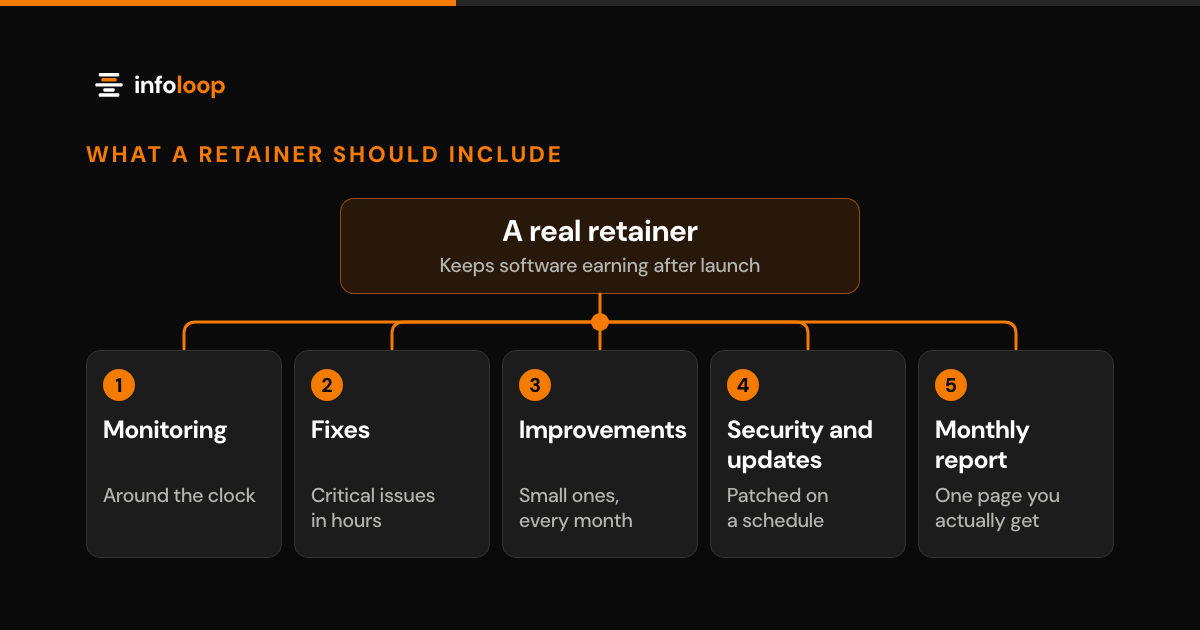
You choose the pricing model: fixed price for a clear scope, or hourly billing for a scope that will evolve. Dedicated developers can also join your team, billed hourly or monthly. After handover, your own team can take over, or we provide monthly support with monitoring, fixes and a monthly report. Our guide to managed software retainers lists what that support should include.
Software from Infoloop’s 50+ projects is live in 6 countries, and the company is rated 4.8 on average across Trustpilot, Google, Clutch and GoodFirms. If a rebuild turns out to be the better option, our custom software development team can price that too.
Infoloop works with clients worldwide from offices in Surat, India, and Dover, Delaware. Book a modernization discovery call to talk your application through with us. If it is worth assessing, a small fixed-fee code assessment then gives you a written view of its risks and the cost of each option.
Frequently asked questions
What are the steps to modernize a legacy application?
Audit the code, rank the risks, then add tests around the parts that change most. Next, choose a strategy for each component and replace one piece at a time behind the screens staff already use. Test every release, keep a rollback ready, and retire old code only when nothing depends on it.
How do you modernize a legacy system without stopping production?
Change it in small releases while the old system stays live. Move one function at a time to the new code and compare its results with the old system. Switch back at once if a check fails. Rehearse every data migration on a copy first, so daily work never waits on a fix.
What are the risks of keeping legacy software?
The main risks are unpatched security flaws, rising upkeep costs and changes nobody dares to make. Unsupported software receives no security fixes, so known vulnerabilities stay open. Knowledge often sits with one or two people, and each new feature or integration takes longer than it should.
Should you rewrite or modernize a legacy application?
Modernize in most cases, since the current system already holds years of real business rules. Start over only when the core data structure is wrong or the platform cannot be upgraded. Ask for both options priced in writing, then compare them on risk as well as cost.

Co-founder and CTO
Rahul is Infoloop's CTO. He sets the architecture for every client build and leads the engineers who ship and support it.